1-4
How Does Patreon Work? A Complete Guide
How does Patreon work? See how creators set tiers, pay fees, receive payouts, and estimate whether a small audience can support recurring memberships.
- Written by

- Published
- Updated
- Reading time
- 13 min read
- Sources
- 3 cited
Patreon is a platform where fans pay creators recurring monthly amounts in exchange for membership perks, such as exclusive posts, early access, or community access. Creators set up a page and tiers, deliver benefits they can sustain, and pay platform, payment-processing, and sometimes other fees from their earnings. In practice, Patreon can provide predictable income, but whether it is worthwhile depends on how many fans will pay and whether the net revenue justifies the time and costs.

In this guide
Picture a neighborhood bakery that saves a loaf each Friday for regulars who pay a flat amount every month. The baker gets income she can plan around, and the regulars get bread they can count on.
Patreon works on that same idea: fans pay you a recurring amount for perks you choose, like exclusive posts, early access, or behind-the-scenes updates.
We’ll cover how it works, from page setup and tiers to fees, payouts, and the fan experience, then help you judge whether a small audience can realistically support a membership before you invest your evenings in it.
How Does Patreon Work and Who Uses It?
Patreon is a platform where fans pay a set amount each month to support a creator. Here’s what that looks like in practice, and who tends to use it.
Turning fan support into steady monthly income
Patreon runs on memberships: recurring monthly payments from fans, called patrons. Think of it as a VIP (very important person) club: the public side stays open, and members get the backstage pass.
Consider a home cook who posts a weekly video. If 20 fans each pay $5 a month, that’s $100 landing every month, whether or not the next video takes off. You don’t need a huge audience. A small, committed group is enough.
The real payoff isn’t one lucky month. It’s predictable monthly income.
So what are patreons on YouTube? They’re fans who pay a monthly amount through your Patreon page, which you can link from your channel.
The kinds of creators who use it
Patreon works for a wide range of makers:
- Podcasters and musicians, who fund regular episodes or releases.
- Writers and visual artists, who share work in progress.
- Coaches and consultants, who offer ongoing access instead of one-off sessions.
Some use it for their main income. Others use it for project funding, like one album or one book. Which one fits depends on how much income you need from it.
What the platform includes for creators
Patreon gives you a few core tools:
- Hosted creator page. Your home base for fans to find your work and join.
- Memberships and digital products. Paid tiers and products fans can buy.
- Video hosting, chats, and polls. Ways to share content and hear from members.
- Audience insights. A look at how your community responds.
One place to run it all.
Set up Your Page and Membership Tiers
Before anyone can pay you, you need a page and tiers, the membership levels that show fans what each price gets them. Here’s how to set both up.
Steps to create your account and page
Work through these in order:
- Sign up and choose a name. Pick one fans will recognize.
- Write your bio. Say who you make things for and what members get.
- Connect payment details. Add the account where your earnings should go.
- Launch and promote your page. Share the link where your audience already hangs out.
Build your tiers with prices and details
Consider a baker who runs weekend workshops. She launches with one tier and lets her first sign-ups show her what to add next.
You can offer single or multiple tiers, but start with one you can explain in a sentence rather than three you have to defend. Each tier includes:
- Monthly price and description. Set the price, then spell out what it includes.
- Tier name and cover image. Pick a name fans will recognize, plus a matching image.
Unpublish any tier that isn’t ready, or go live with no paid tiers and add them later. Launch first, refine second.
More tier settings you can adjust
A few more settings control who joins and what they share.
- Member limits. Cap how many people can join a tier.
- Collect shipping addresses. Turn this on only if a perk gets mailed.
- Discord roles. Attach one to each tier so members get the right server access.
- Sales tax settings. Review them before you take payment, and ask a tax pro if you’re unsure.
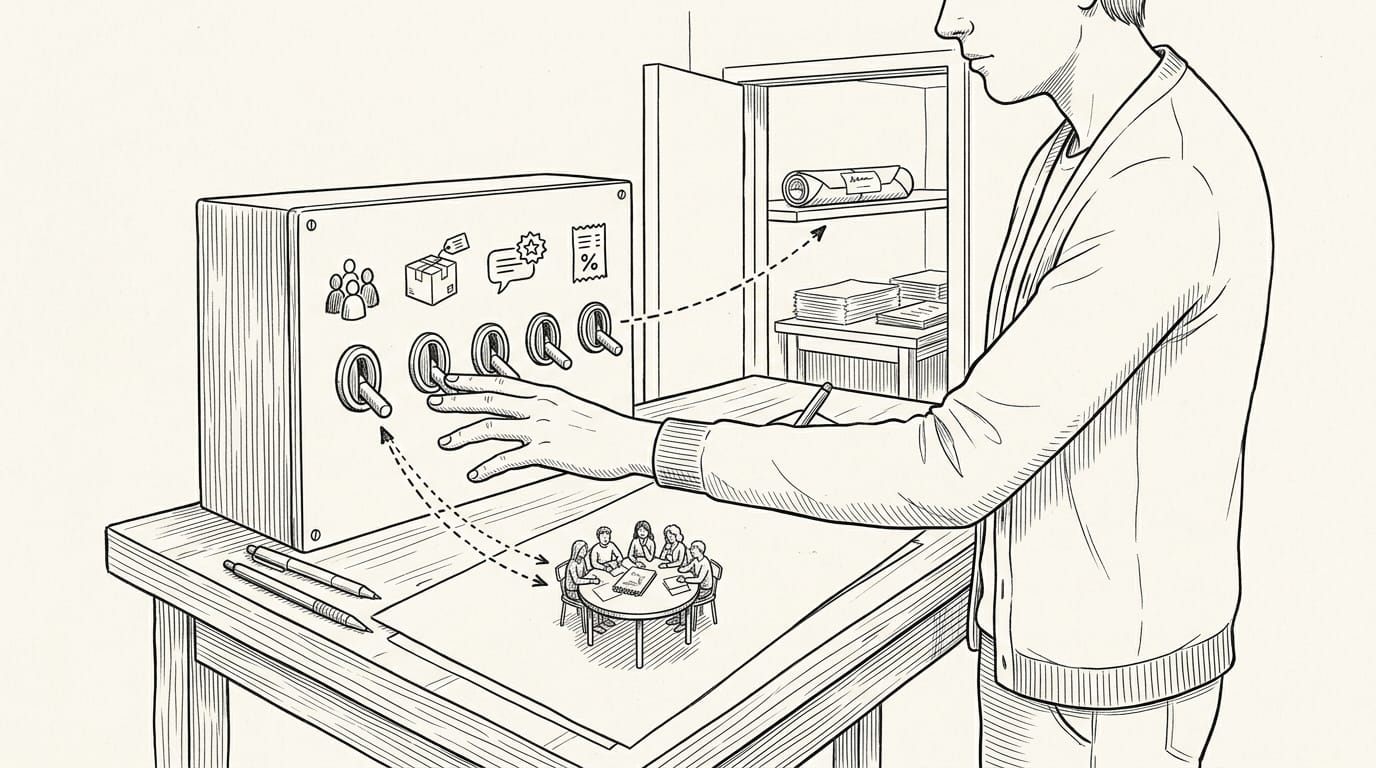
Consider a freelance illustrator who runs a monthly sketch critique. She sets a member limit so every critique stays personal, and she turns on shipping only for the tier that includes a printed zine. Small settings, big consequences.
Connect Discord, WordPress, and Spotify
- Discord. Link a server where paying members can talk with you and each other.
- WordPress. Connect your site if you already run one on WordPress.
- Private feeds and Spotify. A private RSS feed (Really Simple Syndication) can share members-only podcast episodes in your listeners’ apps, and you can connect Spotify if your show lives there.
Connect only what your fans will actually use.
What to Offer Your Members
Each tier needs a clear reason to exist. Here’s how to attach benefits, pick perks you can keep up, and build a community around them.
Add and order benefits for each tier
Patreon lets you add benefits of your own or choose from recommended ones, so you can start with what you already make. Reorder them so the most appealing one leads the list, and give every tier at least one. A promo code can work as a benefit too.
A potter might offer her top-tier members a discount code for her studio shop, rewarding the people who already trust her work.
Ideas for perks, from bonuses to merch
Here are the main options:
- Bonus episodes and early access: Give members the episode before everyone else.
- Behind-the-scenes content: Show the rough draft, the failed batch, or the sourcing trip.
- Livestreams and Q&A: Host a monthly live hour for questions.
- Physical merch and goods: A signed print or sticker pack gives fans something to hold, but it costs money to make and ship.
- Digital downloads: A template or guide takes time to build once, then reaches every member.
The real test is how long you can keep a perk going, not how big it sounds, so pick sustainable perks you can deliver every week. Consistency beats ambition.
Building a community with your fans
Fans stay for people as much as content. A private Discord chat, open only to members, lets them talk with you and each other. End each post with a question to spark comments and discussions, then reply to the best answers.
Personal replies are the heart of direct fan connection, and that’s something no template can do for you. Personal beats polished.
What Patreon Costs Creators
Your headline rate isn’t what lands in your account, and pledge size, currency, and plan all change the gap.
Free to start, with fees only on earnings
Setup costs nothing, and there’s no monthly fee. You pay when you earn, not when you start, because Patreon’s cut comes out of your pledges. That lines the platform’s success up with yours. No sales, no bill.
How the platform and processing fees add up
Several charges can stack on each pledge:
- Platform fee: 10% of each pledge on the standard plan.
- Processing fee: 2.9% plus $0.30 per payment, and the rate varies by currency.
- Currency conversion: Patreon’s fee page charges 2.5% when a member pays in a currency other than your payout currency.
- PayPal and Venmo rates: payouts through either service carry their own rates, so check the current numbers before you count on them.
- Payout fees: getting money out of Patreon can carry its own charge.
Ten percent is where the bill starts, not where it ends.
Older plans like Founders and Pro
Not every creator pays the same rate. Patreon’s Help Center says pages published after August 4, 2025 sit on the standard 10% plan. Founders, Pro, and Pro + Merch are older plans, so if you published your page before that date, you may be on one of them.
A grandfathered rate is an older one you keep after the terms change. Some actions can end it, so review your plan details before you make big changes. Know your plan first.
How the flat fee hits small pledges
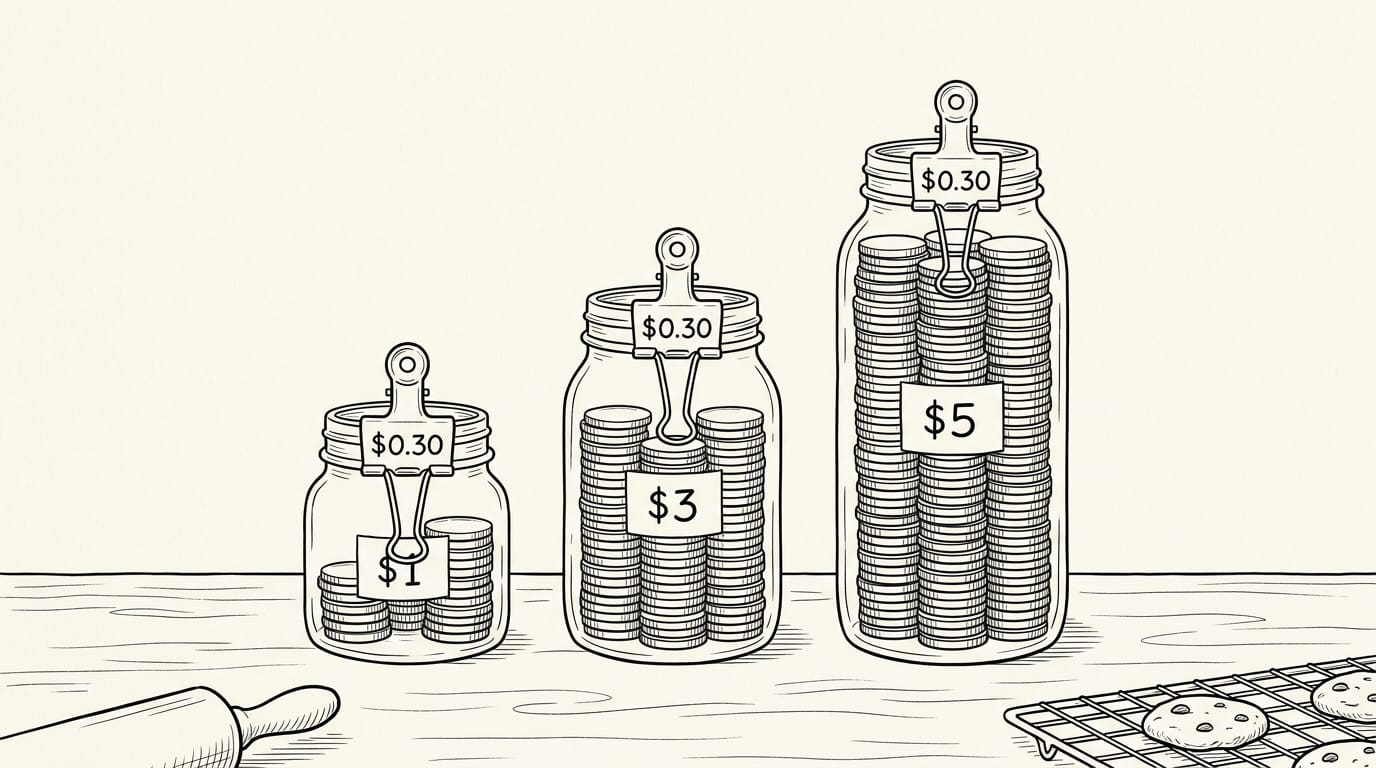
The flat $0.30 hurts most on small pledges. Patreon’s published rates list processing at 2.9% plus $0.30 for payments in dollars, and that $0.30 doesn’t shrink with the pledge. Think of a home baker with a $3 tier.
Here’s how that flat part plays out at a few price points:
| Pledge | Share the $0.30 takes |
|---|---|
| $1 | 30% |
| $3 | 10% |
| $5 | 6% |
By our math, stacking the 10% platform fee and the processing rate on a $5 pledge takes close to 19%. Raising your tier price helps: it doesn’t change the fee, but it shrinks the fee’s share of each payment. Small pledges pay the steepest rate.
How Apple’s iOS cut changes your pricing
Apple’s iOS (the software behind iPhones and iPads) takes its own cut of payments made through the app. That cut has been 30%, and it’s dropping to 15%.
Patreon defaults to an iOS price increase, so app members can pay more than web members for the same tier. In the United States, a web checkout workaround lets members pay on the website instead.
Physical goods, like merch, may be exempt from the cut, so check before you assume it applies. Treat it as a pricing decision, not a footnote.
How sales tax and VAT apply
The tax you collect depends on two things: the benefits a tier includes and where your members are located. Review each tier’s benefits before the first payment arrives.
Patreon also offers advanced sales tax settings for reviewing how tax is handled on your page.
If you or your members are outside the United States, you may also run into value-added tax (VAT), goods and services tax (GST), or similar taxes. Sort it out at setup, not at tax time.
What You Earn and When You’re Paid
Income depends on how many fans pay. Here’s what to expect and when it lands.
How much creators can earn
Earnings vary with your audience and the value you offer members, from a few hundred dollars to six figures. A research paper on predicting campaign success notes that results are highly dependent on the patron base.
An analysis in the Journal of Cultural Economics finds income is very skewed, so six-figure stories sit at the top of the curve.
Consider a woodworker with 1,000 fans and a $5 monthly pledge. If 20 of them sign up, that’s $100 a month before fees.
Estimate before you commit hours: count your engaged fans, assume a modest share will pledge, and plan for likely patrons, not hoped-for ones. Hope isn’t a forecast.
How payouts reach your bank or PayPal
You can take payouts by direct deposit or PayPal. They run on a monthly cycle with a delay, so the money reaches you on a schedule, not the moment a fan pledges. Watch for these timing rules:
- Automatic payouts. This is opt-in, so confirm you’ve switched it on.
- Banking changes. Updating your bank details can trigger a hold on your next payout.
- iOS funds. Funds that come through iOS pend longer, so don’t count on them arriving right away.
Worked examples of fees and take-home pay
Take-home equals patrons times pledge, minus fees. Assuming fees take 10 percent just for the math, fifty patrons at $5 is $250 gross and $225 take-home, and a hundred patrons is $500 gross and $450 take-home.
Swap in your plan’s real rate before you rely on it.
Your break-even point is the number of patrons whose pledges cover your costs. Say your tools cost a flat $30 a month. At 10 percent fees, each $5 pledge nets $4.50, so you need 7 patrons to break even.
A flat cost stays the same, while percentage fees grow with every pledge.
What Fans Experience on Patreon
Fans see a simpler side of Patreon, but their first few minutes decide whether they stay. Here’s what joining looks like, and where the free options fit.
Do fans have to pay for content?
Not always, and the tier decides. Fans choose a membership tier, the level of access a creator sets, and billing starts automatically each month. Take Dana, a fan of a freelance illustrator’s sketch tutorials.
She picks a tier, gets each new lesson as it posts, and cancels anytime she likes. Nobody’s locked in.
Whether fans pay depends on the tier attached to what they want to see. Free tiers offer a taste, while paid tiers unlock more. The question isn’t whether fans pay, but which content they pay for.
Browsing a creator’s page can show what’s on offer, but paid posts need a membership.
Some websites promise free Patreon access, and the risks are real. They aren’t run by Patreon or the creator, so you can’t know what’s behind the download button, and the creator loses the support they depend on. A free tier is the safer way in.
Pausing billing is a separate choice from canceling. If Dana’s budget tightens, she can pause her membership instead of quitting it, and manage that from her account.

Watching, reading, and downloading what’s posted
Posts live in the fan dashboard, and members can:
- Stream, download, read. Dana watches a tutorial at lunch, saves the worksheet, and reads the notes at her desk.
- Private RSS feeds. RSS (Really Simple Syndication) sends new posts to a feed reader, so members don’t have to check the page.
- Comment and discuss. Comments turn posts into a conversation between fans and creators.
Weighing the Pros, Cons, and Alternatives
Patreon suits some side hustles better than others. Here’s how we’d weigh it.
The upsides and downsides of Patreon
Patreon’s biggest draw is recurring income: fans pay a set amount each month, and perks can stay simple. It also handles payments and fraud, so you don’t have to build billing yourself.
Steep fees cut into every payment, so price with the fee already subtracted. Launching without a fanbase is tough.
Platform lock-in and deplatform risk are the longer-term concerns: your fans and posts live on Patreon, so a rule change or removed page could cut you off. It’s easy to get paid there but harder to take your fans along.
Who should stay or switch platforms
Membership suits ongoing access, and a course suits a finished path. Consider a freelance illustrator who posts a new sketch for her members each week: Patreon fits her. A neighbor selling a lettering course needs something different.
Use roughly $990 a month as a checkpoint. Below it, Patreon is a reasonable place to test demand. Above it, run the fee math again before you stay put.
Patreon lacks dedicated course tools, so a full course can feel like a workaround. Pairing it with a course platform splits the work: the membership carries the community, and the lessons live elsewhere.
Other platforms to compare on price
Here’s how they compare:
- Ko-fi and Buy Me a Coffee: lighter support, often for one-off tips.
- Supercast, Substack, and Memberful: recurring membership tools, each with its own fee structure.
- Flat-fee course platforms: a set fee instead of a cut of each sale.
Check each current fee page, since fees change. Then compare the money you keep, not the headline fee. Consider a bookkeeper with a small tax-tip membership. Her options look close on paper, but after each cut, one leaves her noticeably more each month.
Platform Rules and Recent Changes
Before you build anything on Patreon, you need to know what the platform allows and what’s changed recently. Here’s what to check before you launch.
Rules on sending fans off-platform
The core rule is that directing members off-platform (anywhere outside Patreon) is prohibited. You can’t send paying members somewhere else to get the content, perks, or support they pay you for here.
Plenty is still allowed. Patreon publishes a list of permitted activities, so read it in full before you post. Two common setups are fine: a public social page and a Discord server, a chat space where members can talk with you and each other.
Think of a home baker who teaches weekly sourdough lessons on Patreon. She can share finished loaves on her public Instagram and run a Discord server where members swap crust photos.
But if she tells members to pay for the next lesson on her own website, she’s broken the rule. The rule is about where members pay and get their perks, not whether you run a community outside Patreon.
What changed in 2026
Three changes affect how you set up and run a membership:
- Legacy billing has ended. The older billing setup is no longer available, so any guide describing it is out of date.
- Creator and fan profiles have been merged. Check how your profile looks to members first.
- Annual membership eligibility rules have changed. Confirm you qualify before you promise members a yearly option.
Many guides still describe the old setup, and some of their steps no longer match the platform. Check the date first.
Patreon can be a steady income source, but only when the math and the audience line up. We’ve covered page setup and tiers, the fees and payouts that shape your take-home pay, and what fans experience on their end.
The real test is whether enough people in your audience will pay every month for what you plan to offer.
Before you spend another weekend building perks, count your likely members, price your tiers against your hours, and see whether the numbers cover the work. Let your first paying members make the final call.
References
- Predicting Success of Campaigns on Membership basedPatreon Crowdfunding Platform — doi.org (2022)
- Crowdfunding a monthly income: an analysis of the membership platform Patreon | Journal of Cultural Economics — link.springer.com (2020)
- Creator fees overview — support.patreon.com
Questions
What is the app patron?
Patreon is a membership platform where fans, called patrons, make recurring payments to support creators. Creators can offer members perks such as exclusive posts, early access, or behind-the-scenes updates.
What are patreons on YouTube?
YouTube patrons are fans who support a creator by paying a recurring amount through the creator’s Patreon page. Creators can link to that page from their YouTube channel.
How do you make money through Patreon?
Creators earn money by setting up a Patreon page, choosing membership tiers and prices, and offering benefits that encourage fans to join. Patreon deducts platform and payment-processing fees from pledges before the creator receives the remaining earnings.
How does Patreon charge?
Patreon charges creators fees when they earn: the standard platform fee is 10% of pledges, plus payment-processing, currency-conversion, and possible payout fees. Payment-processing rates vary by currency; for U.S. dollar payments, the listed rate is 2.9% plus $0.30 per payment.
How do I pause billing on Patreon?
To pause billing, sign in to Patreon and manage the membership from your account. Pausing is an alternative to canceling and can temporarily stop membership billing; available options may depend on the membership and billing settings.
Who uses Patreon the most?
Patreon is used by a wide range of creators, including podcasters, musicians, writers, visual artists, coaches, and consultants. There is no single creator type that uses it most; it suits people with fans willing to support ongoing work.
Do you have to pay to see content on Patreon?
No. Some creators offer free tiers or public posts, while paid tiers unlock additional content and benefits. Paid posts generally require a membership to access.
Is there a website that offers free Patreon access?
Some websites claim to offer free access to Patreon content, but they are not run by Patreon or the creator, so their downloads may be unsafe and they deprive creators of support. A creator’s free tier is a safer way to access content without paying.
Sources
- Creator fees overview – Patreon Help Center, support.patreon.com
- Crowdfunding a monthly income: an analysis of the membership platform Patreon | Journal of Cultural Economics | Springer Nature Link, link.springer.com,
- Predicting Success of Campaigns on Membership basedPatreon Crowdfunding Platform, doi.org,